
Disclosure: VPN Vetted is reader-supported. Some links below are affiliate links (marked “sponsored”): if you buy through them we may earn a commission at no extra cost to you. Our ranking follows the official facts below, not commissions; our #2 pick, Bitwarden, has no affiliate link with us. NordPass belongs to Nord Security, the same group as NordVPN and Surfshark.
Last updated October 15, 2026 · Prices and features checked October 15, 2026 on each provider’s official pages (USD).
Our picks
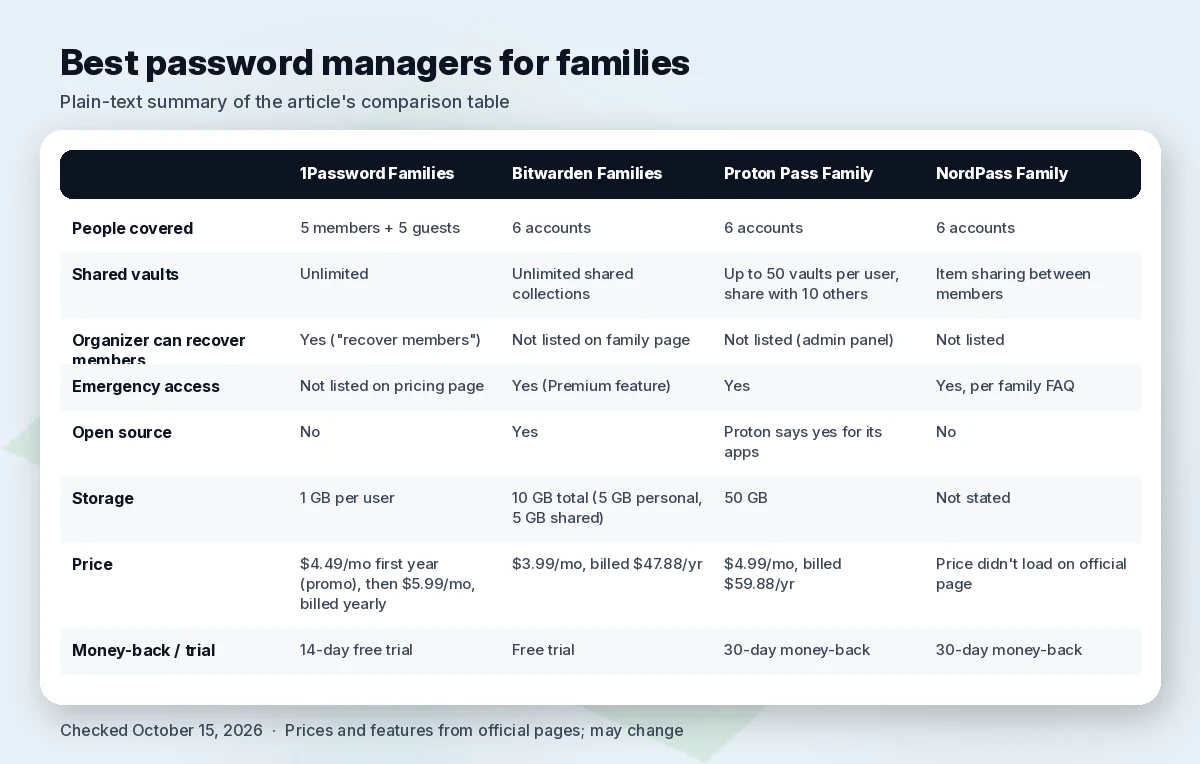
Comparison table
| 1Password Families | Bitwarden Families | Proton Pass Family | NordPass Family | |
|---|---|---|---|---|
| People covered | 5 members + 5 guests | 6 accounts | 6 accounts | 6 accounts |
| Shared vaults | Unlimited | Unlimited shared collections | Up to 50 vaults per user, share with 10 others | Item sharing between members |
| Organizer can recover members | Yes (“recover members”) | Not listed on family page | Not listed (admin panel) | Not listed |
| Emergency access | Not listed on pricing page | Yes (Premium feature) | Yes | Yes, per family FAQ |
| Open source | No | Yes | Proton says yes for its apps | No |
| Storage | 1 GB per user | 10 GB total (5 GB personal, 5 GB shared) | 50 GB | Not stated |
| Price (checked Oct 15, 2026) | $4.49/mo first year (promo), then $5.99/mo, billed yearly | $3.99/mo, billed $47.88/yr | $4.99/mo, billed $59.88/yr | Price didn’t load on official page |
| Money-back / trial | 14-day free trial | Free trial | 30-day money-back | 30-day money-back |
Sources linked in each section; checked October 15, 2026.
How we review
We ranked family plans on what goes wrong in real households: someone forgets their master password (can the organizer help?), someone is unavailable in an emergency (is there emergency access?), how many people one plan covers, whether private and shared passwords are clearly separated, transparency (open source, audits) and price per person. Everything comes from official pricing and product pages checked October 15, 2026. We haven’t run our own hands-on tests for this guide, and we don’t repeat vendors’ “best” claims as fact.
Best family password managers
1. 1Password Families: best overall
1Password Families includes 5 users in total (5 seats in the base plan), adds 5 guest accounts for vault sharing (useful for a babysitter or a relative outside the plan), and lets you share unlimited vaults. The feature that tips it for families: the organizer can “manage, add, remove, or recover members of your account,” so a forgotten password doesn’t mean a lost vault (1Password pricing). Security is end-to-end encryption with a dual layer (account password plus a Secret Key), Watchtower alerts for weak, reused or breached passwords, and independent third-party audits per 1Password. Apps cover macOS, iOS, watchOS, Windows, Android and Linux.
Pricing (checked October 15, 2026): $4.49/mo with annual billing for the first year as a promotion for new customers buying directly, then the regular $5.99/mo. 14-day free trial (pricing).
Watch out for: the promo price applies only to the first year and not through app stores. There’s no free plan.
2. Bitwarden Families: best value, open source
Bitwarden Families gives 6 people a Premium account each, with unlimited shared collections (for example “banking” or “household”), a family admin dashboard to add or remove members, 10 GB of encrypted storage, and emergency access (Bitwarden Families). Bitwarden is open source with zero-knowledge encryption (pricing). Members’ personal vaults stay private; they see only what’s shared with them. If you cancel, accounts revert to free individual plans and keep their personal vaults.
Pricing (checked October 15, 2026): $3.99/mo, billed $47.88 a year for up to 6 users (pricing). That’s the lowest price per person among our picks.
Watch out for: we didn’t find organizer-led account recovery on the family page; plan on emergency access instead. Bitwarden’s interface is more utilitarian than 1Password’s.
3. Proton Pass Family: best for privacy extras
Pass Family includes 6 Pass Plus accounts and an admin panel. Each account gets emergency access, Dark Web Monitoring, an integrated 2FA authenticator, secure sharing of vaults and single items (even with people who don’t use Proton Pass), and unlimited hide-my-email aliases to keep real addresses off sign-up forms (Proton Pass pricing). Storage is 50 GB for the plan.
Pricing (checked October 15, 2026): $4.99/mo, billed $59.88 every 12 months; 30-day money-back guarantee. Proton Free also exists, with unlimited logins on unlimited devices and vault sharing with 2 others (pricing).
Watch out for: vault sharing is capped at 10 others per account, and organizer-led account recovery isn’t listed on the pricing page.
4. NordPass Family
NordPass Family gives 6 separate encrypted vaults with Premium features, including Password Health, Data Breach Scanner and email masking. Members share items with each other and can grant emergency access to their vault, NordPass says; it uses XChaCha20 encryption (NordPass Family). 30-day money-back guarantee.
Watch out for: NordPass’s pricing page didn’t display Family prices in a form we could verify today, so check the price at checkout. You can’t switch directly from Premium to Family without contacting support (pricing FAQ).
What about Dashlane?
Dashlane’s pricing page now shows only business plans, so we couldn’t confirm a current family plan and left it out.
Family sharing features that matter
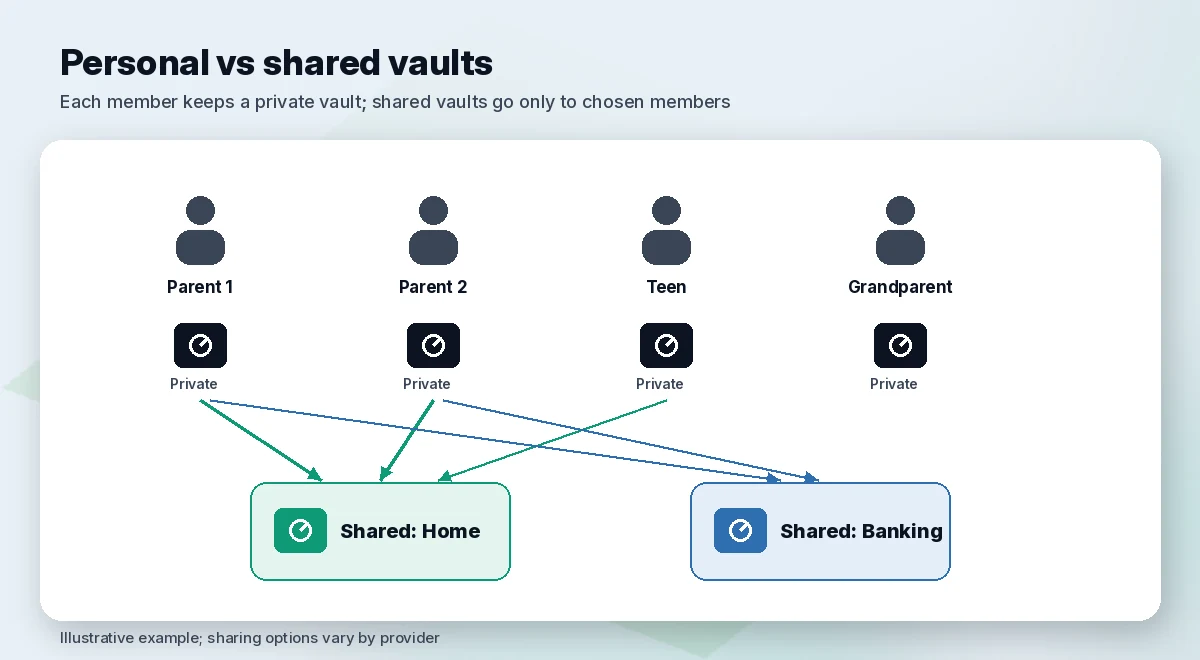
- Private by default. In all four plans, members have their own vault and only see what you share.
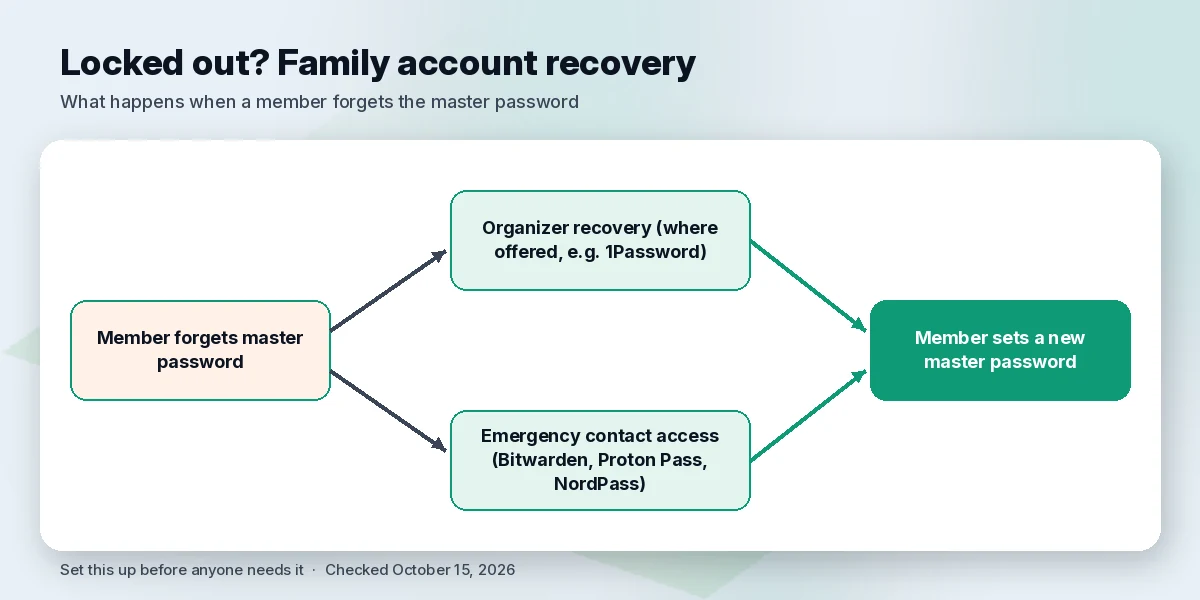
- Recovery. Kids and older relatives forget master passwords. 1Password’s organizer recovery is the strongest safety net we found documented.
- Emergency access. Bitwarden, Proton Pass and NordPass document a way to give a trusted person access if something happens to you.
- Leaving the plan. Bitwarden documents that members keep their personal vault if the plan is cancelled; check each provider before a child moves out.
- Built-in options. Apple’s Passwords app (iOS 18 and later) can find and share saved Wi-Fi passwords (Apple); built-in managers work best if the whole family uses one platform.
How to set one up for your household
- Pick the organizer, usually the most organized adult, and turn on two-factor authentication first.
- Create shared vaults by topic (home, bills, school) rather than one big shared vault.
- Invite members by email; each sets their own master password.
- Set up recovery or emergency access before anyone needs it.
- Run the password health check together and fix reused passwords.
Beyond passwords
A password manager won’t remove your family’s details from people-search sites. A data removal service does that (not part of this ranking): See Incogni’s family plan
FAQ
What is the best password manager for a family? 1Password Families for most households, because the organizer can recover members’ accounts. Bitwarden Families is the best value.
Is there a free family password manager? Not a full family plan among our picks, but Proton Pass Free lets you share vaults with 2 others, and Bitwarden has a free individual plan.
Can family members see each other’s passwords? No. Each member has a private vault; only shared vaults or collections are visible to others.
What happens if the family organizer loses access? It depends on the provider; set up emergency access or a second admin in advance and keep recovery codes somewhere safe.
Is Apple Passwords or Google Password Manager enough for a family? It can be if everyone uses the same platform; cross-platform families are usually better served by a dedicated manager.
How many people can share a family password manager plan? 6 on Bitwarden, Proton Pass and NordPass; 1Password covers 5 members plus 5 guests.
Verdict
1Password Families is the best password manager for most families thanks to organizer recovery, guest accounts and unlimited shared vaults. Bitwarden Families is the best value and open source; Proton Pass Family adds email aliases and Dark Web Monitoring for privacy-minded households.
Sources (official pages, checked on October 15, 2026)
- 1Password pricing: https://1password.com/pricing/password-manager
- Bitwarden pricing: https://bitwarden.com/pricing/
- Bitwarden Families: https://bitwarden.com/products/families/
- Proton Pass pricing: https://proton.me/pass/pricing
- NordPass Family: https://nordpass.com/family-password-manager/
- NordPass pricing: https://nordpass.com/pricing/
- Dashlane pricing: https://www.dashlane.com/pricing
- Apple, Find your saved Wi-Fi passwords: https://support.apple.com/en-us/104961