
Affiliate disclosure: VPN Vetted may earn a commission if you sign up through some links on this page, at no extra cost to you. Every step in this checklist is free; paid services are optional and listed last.
Short answer: find out what leaked, change that password everywhere you reused it, turn on two-factor authentication, and freeze your credit if your Social Security number or financial details were exposed. All of that is free. If you’d rather have someone monitor and clean up for you, an identity protection plan such as Aura can help. See Aura’s plans
A breach notice tells you a company lost control of your data. What you should do depends on which data: an email and an old password call for a different response than a Social Security number. This guide goes in order of urgency, with the official US resources for each step.
Check if you were affected (Have I Been Pwned, official)
Start with the notice itself. A legitimate breach letter or email says what was exposed and often offers free credit monitoring. Don’t click links in a notice you weren’t expecting; go to the company’s site directly, because breach news is a common phishing hook.
Then check your email addresses on Have I Been Pwned, a free service run by security researcher Troy Hunt that lists the known breaches an address appears in, and which data types each breach included. Its Pwned Passwords page lets you check whether a password has appeared in a breach. Many password managers run the same check for you.
Write down what was exposed. It decides which of the steps below matter:
| What leaked | What to do first |
|---|---|
| Email address only | Expect more phishing; no password change needed unless you reuse it as a username with a weak password |
| Password (even hashed) | Change it on that site and on every site where you reused it; turn on 2FA |
| Phone number | Watch for scam texts and calls; add a carrier account PIN to block SIM swaps |
| Card number | Call the card issuer; ask for a new card number |
| Bank account | Contact your bank; review recent transactions |
| Social Security number or ID | Freeze your credit at all three bureaus; consider an IRS Identity Protection PIN |
First 24 hours checklist
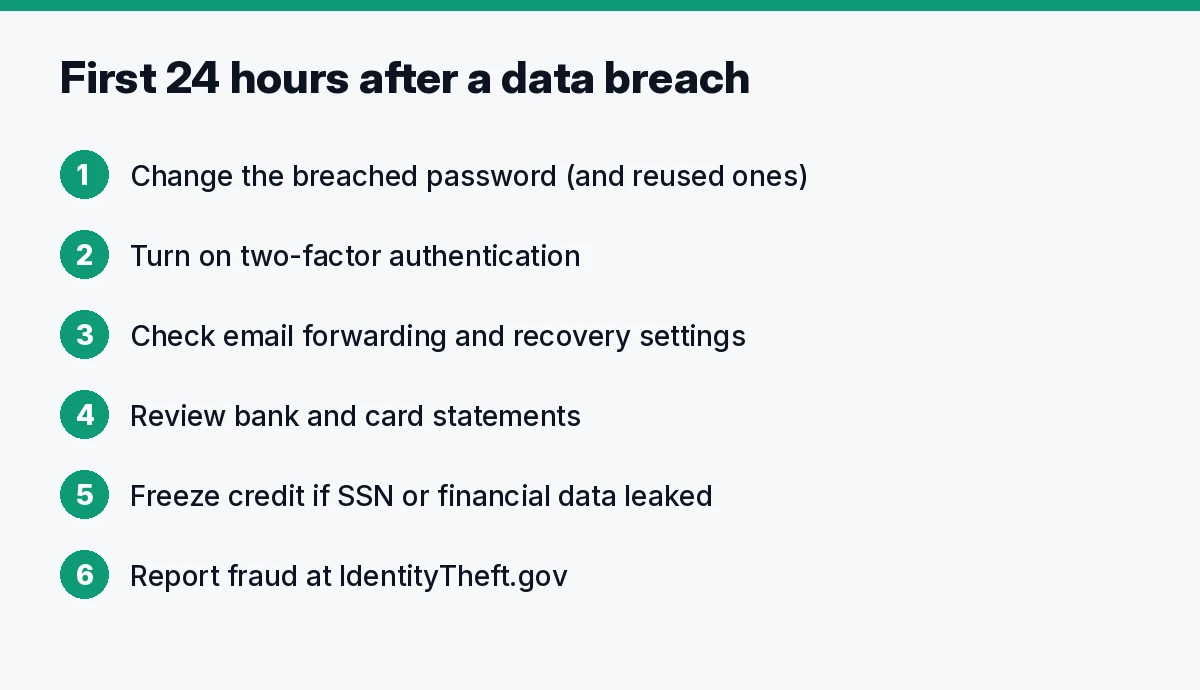
- Change the breached password on the affected account, and on any other account that used the same or a similar password.
- Turn on two-factor authentication, starting with email, banking and any account that can reset others.
- Check your email account settings for forwarding rules or recovery addresses you didn’t add.
- Review bank and card statements for charges you don’t recognize, and set up transaction alerts in your banking app.
- Freeze your credit if your SSN or financial details were exposed (next sections).
- If someone already used your information, report it at IdentityTheft.gov, the FTC’s official site. It builds a personal recovery plan and pre-fills the letters and forms you need.
Passwords and 2FA
The single most useful fix is to stop reusing passwords. When one site leaks, attackers try the same email and password on other sites, so a reused password turns one breach into many. Use a unique password for every account. A password manager makes that practical: it generates and stores the passwords and fills them in.
Free options exist, including the managers built into Apple, Google and most browsers. If you want a standalone app, NordPass has a free plan with unlimited password storage and sync, and its Premium plan adds Password Health (flags weak, old and reused passwords) and a Data Breach Scanner that looks for your data in known breaches (NordPass pricing). See NordPass plans
For two-factor authentication, an authenticator app or a hardware security key is stronger than text-message codes, because SMS codes can be intercepted through SIM swapping. The FTC’s guide to two-factor authentication explains the options.
Credit freeze (official source: FTC)
A credit freeze stops lenders from pulling your credit report, which blocks most new accounts opened in your name. According to the FTC, placing and lifting a freeze is free, it doesn’t affect your credit score, and you must contact each of the three bureaus separately:
- Equifax: equifax.com/personal/credit-report-services/credit-freeze
- Experian: experian.com/freeze
- TransUnion: transunion.com/credit-freeze
You can lift the freeze temporarily when you apply for a loan or card. A fraud alert is a lighter alternative: it asks lenders to verify your identity, and you only need to contact one bureau, which notifies the other two (same FTC page). You’re also entitled to free credit reports at AnnualCreditReport.com, the official site.
If your SSN leaked, the IRS offers an Identity Protection PIN that blocks someone else from filing a tax return with your number.
When identity protection or data removal helps
Everything above is free and does most of the work. Paid services make sense when you don’t want to do the monitoring yourself, or when the breach exposed enough to make ongoing fraud likely.
| Aura | Incogni | NordPass | |
|---|---|---|---|
| What it is | Identity theft protection bundle | Data broker removal | Password manager |
| Main use after a breach | Credit and SSN monitoring, fraud help, insurance | Removing your details from data broker and people-search sites | Unique passwords, breach scanner |
| Free option | 14-day free trial | Not verified | Free plan |
| Link | Aura | Incogni | NordPass |
Prices and plans checked October 10, 2026 on the official pages (USD; taxes may apply).
Aura: identity monitoring and fraud help
Aura’s Individual plan is listed at $12/month, Couple at $22/month billed annually ($29 billed monthly) and Family at $32/month billed annually ($50 billed monthly). Plans include 3-bureau credit monitoring, an instant Experian credit lock, financial transaction alerts, identity theft insurance ($1M per adult on Individual), US-based fraud remediation, and data removal from 425+ data brokers and people-search sites. Aura offers a 14-day free trial and a 60-day money-back guarantee on annual plans (Aura pricing). Keep in mind that a credit lock from one bureau is not the same as freezing at all three, which you can do yourself for free. See Aura’s plans
Incogni: data broker removal
Breached data often ends up combined with what data brokers already sell. Incogni sends removal requests to data brokers and people-search sites on your behalf and repeats them over time. It’s a Surfshark product, and Surfshark’s pricing page lists “Data removal by Incogni” in its bundles (Surfshark pricing). You can also opt out of brokers yourself for free, one by one; Incogni saves the time. We didn’t verify its standalone price today, so check it on the official site. See Incogni’s plans
NordPass: unique passwords
Covered above. It’s the tool that prevents the next breach from spreading. NordPass belongs to Nord Security, the same group as NordVPN. See NordPass plans
Does a VPN help after a data breach?
Not much. A VPN encrypts your connection, which matters on public Wi-Fi, but it can’t protect data a company already lost. If you want one anyway, our NordVPN vs Surfshark comparison and our guide to the best VPN for your router cover the options.
FAQ
What should I do if my email is in a data breach? Check on Have I Been Pwned which breach it was and what leaked. If a password was included, change it everywhere you used it and turn on 2FA. If only the address leaked, watch for phishing.
How do I check if my data was leaked? Use Have I Been Pwned for email addresses and passwords, read any breach notice you received, and check your free credit reports at AnnualCreditReport.com.
Is a credit freeze free? Yes. Under US law, freezing and unfreezing your credit at Equifax, Experian and TransUnion is free, per the FTC.
Should I pay for identity theft protection? Not necessarily. The free steps cover most risks. A paid service is a convenience: monitoring, alerts, and help if fraud happens.
What if someone already opened an account in my name? Report it at IdentityTheft.gov, contact the company where the account was opened, and freeze your credit.
Verdict
Do the free steps first, in this order: find out what leaked, change reused passwords, turn on 2FA, and freeze your credit if your SSN or financial data was exposed. Use IdentityTheft.gov if fraud has already happened. Add a password manager so the next breach stays contained, and consider Aura only if you want ongoing monitoring and fraud help done for you.
Aura: See Aura’s plans · or Incogni for data removal
Sources (official pages, checked on October 10, 2026)
- Have I Been Pwned: haveibeenpwned.com and Pwned Passwords
- FTC IdentityTheft.gov: identitytheft.gov
- FTC: credit freezes and fraud alerts: consumer.ftc.gov
- FTC: two-factor authentication: consumer.ftc.gov
- AnnualCreditReport.com: annualcreditreport.com
- IRS Identity Protection PIN: irs.gov
- Equifax, Experian, TransUnion freeze pages (linked above)
- Aura pricing: aura.com/pricing
- NordPass pricing: nordpass.com/pricing
- Surfshark pricing: surfshark.com/pricing